DTF Printer Maintenance Best Practices for a Smooth Restart
Jun. 13, 2026
As the Christmas holidays come to a close, it is time to prepare your production line for a strong and efficient restart. After an extended period of inactivity, your DTF printers may encounter common issues such as ink drying, nozzle clogging, dust accumulation, or reduced mechanical responsiveness. If pre-startup inspection and maintenance are overlooked, these problems can directly affect print quality and, in severe cases, cause irreversible damage to critical components such as the printhead or ink delivery system.
To help your DTF printer return quickly to optimal operating condition, this professional pre-startup maintenance guide provides a standardized, efficient procedure to ensure stable output, protect core components, and minimize downtime.
During holiday shutdowns—especially under winter conditions with fluctuating temperature and humidity—ink inside the printer can thicken or dry due to prolonged inactivity. This may cause ink adhesion inside nozzles and tubing. Meanwhile, airborne dust can settle on sensitive areas such as the print platform, printhead surface, and linear rails. Moving components may also experience resistance or jamming due to insufficient lubrication.
If these risks are not addressed before restarting production, users may encounter issues such as banding, color deviation, uneven ink laydown, material feeding errors, or abnormal mechanical noise. In more serious cases, damage to high-value components like the printhead or ink pump may occur. A standardized pre-startup routine—typically requiring only 15–20 minutes—significantly reduces these risks and ensures stable performance from the first print.
Work Environment Calibration: Ensure the printer is installed in a clean, dust-controlled environment. Stable ambient conditions are essential for reliable operation and ink performance. It recommends maintaining a temperature range of 20–35°C and relative humidity between 35%–65%, which helps prevent ink condensation, viscosity fluctuation, and inconsistent ink flow.
Exterior and Wiring Check: Clean the printer exterior and print platform using a dry, lint-free cloth to remove surface dust and debris. Inspect all power cables, signal lines, and connectors for looseness, wear, or corrosion. Confirm that all interfaces are firmly connected to avoid electrical instability during operation.
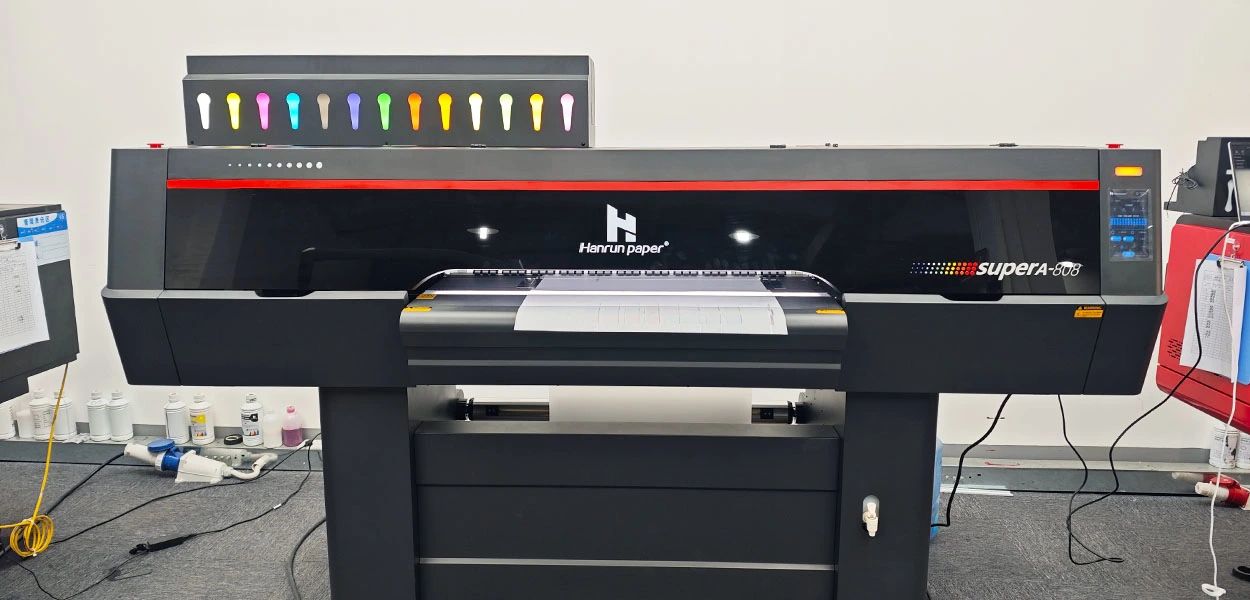
Overflow of the waste ink bottle is a common post-holiday startup issue and should be addressed in advance.
Waste Ink Level Inspection: Check the waste ink bottle and empty it if the ink level exceeds 70% capacity to prevent overflow during automatic cleaning cycles, which could contaminate internal circuits or mechanical components.
Waste Ink Tube Inspection: Examine the waste ink tubing for blockages, cracks, or signs of aging. If ink residue or blockage is detected, gently flush the tube using a DTF printer cleaning solution. Replace damaged tubing immediately to ensure smooth waste ink discharge.
Ink condition directly determines print quality and printhead safety.
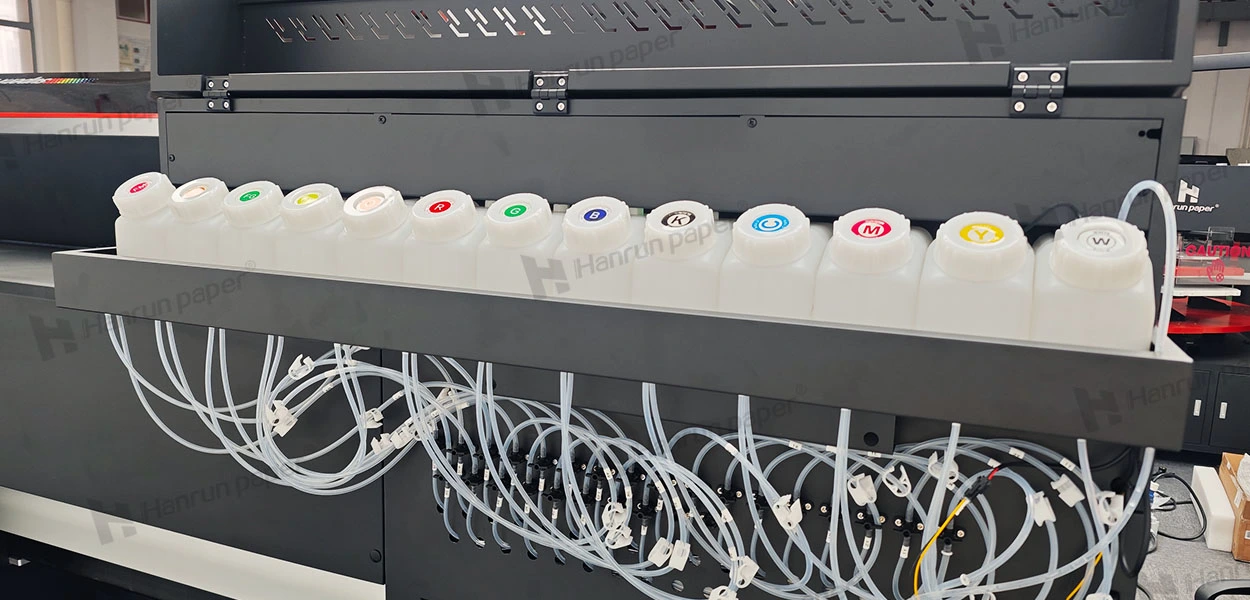
Ink Level and Freshness Check: Confirm that all ink cartridges contain sufficient ink to prevent “dry firing,” which can permanently damage the printhead. Verify ink shelf life: opened ink should be used within 15 days, while cartridge ink should be consumed within 20 days (or 15 days in high-temperature environments). Expired ink is prone to thickening and nozzle blockage.
Color Consistency Confirmation: Ensure that each cartridge color matches the color indicators shown on the printer's touchscreen or control system. Incorrect color installation can cause color contamination and ink path failure.
Wiper blades play a critical role in printhead protection and daily cleaning efficiency.
Condition Assessment: Check wiper blades for deformation, cracking, or hardened ink residue. Proper alignment and intact edges are essential for effective cleaning.
Cleaning Procedure: Use a lint-free cloth lightly moistened with distilled water or a dedicated DTF printhead cleaning solution to clean the wiper blades and surrounding cleaning components. Remove dried ink and dust to prevent scratches on the printhead surface and ensure consistent wiping performance.
The printhead is the most sensitive and valuable component of a DTF printer and must be handled with care.
Nozzle Test: Power on the printer and perform a nozzle check via the control panel or RIP software. Missing lines, gaps, or color loss in the test pattern indicate partial or complete nozzle clogging.
Targeted Cleaning: Initiate the printer's built-in gentle cleaning cycle first. If blockages persist, move the carriage to the cleaning position and carefully wipe the printhead bottom using a soft cotton swab lightly dipped in DTF printer cleaning solution. Avoid excessive pressure. Repeat the process no more than 2–3 times to prevent unnecessary ink consumption and component wear. After cleaning, ensure the printhead returns to the capping station to prevent nozzle drying.
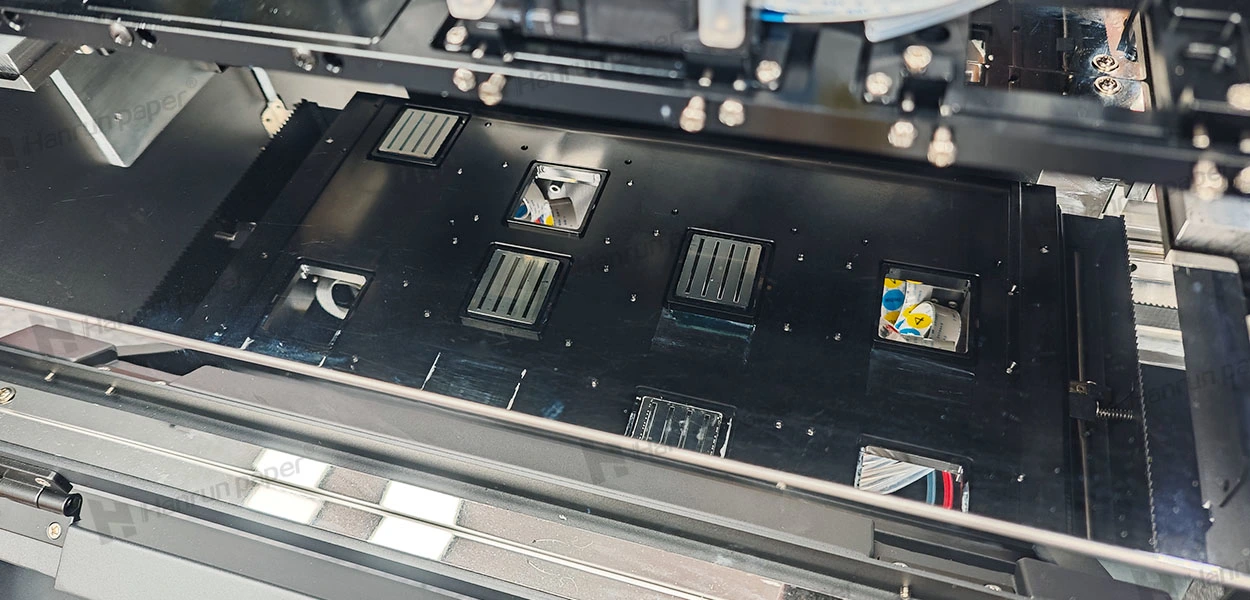
Mechanical Inspection: Clean the print platform, feed rollers, and pressure rollers to remove ink residue and dust, ensuring smooth film feeding and uniform pressure. Listen for abnormal noises from motors, guide rails, or sliders. If squeaking or grinding is detected, apply lubrication following Hanrun Paper's official maintenance guidelines.
Functional Verification: Test all touchscreen and system functions, including heating modules, vacuum suction, and indicator lights, to confirm normal electrical and control system operation.
Pre-startup maintenance ensures a smooth restart, but long-term reliability depends on standardized DTF printer maintenance routines.
Short-Term Shutdown (≤ 1 Week): Perform a successful nozzle test before shutdown and inspect the printhead every three days.
Mid-Term Shutdown (Up to 1 Month): Inject specialized cleaning solution into the capping station, block the waste ink tube, and inspect the printhead weekly.
Long-Term Shutdown (Over 2 Months): Flush all ink lines thoroughly. Remove the printhead, rinse repeatedly with dtf printhead cleaning solution until no ink residue remains, and inject protective fluid before storage.
| No. | Component | Replacement Cycle | Notes |
|
1 |
Ink Filter | 3 Months | Replace the filter based on ink viscosity. If higher-viscosity or corrosive inks are used, the replacement cycle should be shortened accordingly. |
|
2 |
Ink Cartridge | 3 Months | |
|
3 |
Wiper Blade | 3 Months | |
|
4 |
Ink Pad | 3 Months | |
|
5 |
Ink Tube | 12 Months | |
|
6 |
Encoder Grating | 12 Months | Replace if alignment or resolution issues occur |
|
7 |
Timing Belt | 12 Months | Inspect if print position errors appear |
|
8 |
Pressure Roller | 12 Months | Replace if feeding or pressure issues occur |
By combining systematic pre-startup inspection with ongoing maintenance, you create a dual layer of protection for your DTF printer. These practices reduce failure risks, stabilize print quality, extend equipment lifespan, and significantly lower maintenance costs.
Hanrun Paper is committed to providing reliable, professional DTF printing machine service and long-term technical support. Save this guide for future reference and adjust procedures based on your specific model, operating conditions, or guidance from Hanrun Paper's authorized after-sales team.
We wish you a successful restart, smooth production, and consistently flawless prints in the new year.
Note: This guide reflects general maintenance standards for Hanrun DTF printers. For model-specific instructions or professional support, please refer to the official user manual or contact our authorized DTF printing machine service providers.
Latest News


Related Products

Epson i3200-A1HD printhead
Micro-piezoelectric inkjet printing technology
Stable continuous supply system, high printing speed
Automatic and continuous cleaning of ink tubes

UV-H2513 Large Format Flatbed Printer
Four-Zone Vacuum Control System
Magnetic Levitation Linear Motor
Negative Pressure Ink Supply System
Automatic Height Detection System
High-Quality Output
One-stop UV Printing Solution

UV-H1806S Hybrid Multifunction Printer
Industrial Large-Format Output
Supports High Drop Printing
Negative Pressure Ink System
Maximum 30 mm Media Thickness Support
Automatic Height Detection System
Stable Production

UV-H1804E Hybrid Multifunction Printer
1.85-meter industrial wide-format output
Hybrid flatbed & roll-to-roll structure
Industrial-grade stability design
Professional RIP color management system
Three-zone independent vacuum system
Roll-to-Roll System

80cm printing width complete printing solution
30% lower production costs
Safe and worry-free
13-Color Printing Capability

80cm printing width complete printing solution
30% lower production costs
Safe and worry-free
Max 50m2/h under 5-color configuration

UV-H6090S Multifunctional Flatbed Printer
3*i3200-U1 high speed printing
Multicolor configuration
CCD vision positioning system
Eco-friendly and energy-saving

UV-H9060 Multifunctional Platform Lifting Printer
Maximum 50 cm material thickness
Negative pressure ink supply
Vision positioning system
Supports roll and cylindrical printing

19gsm Brown Color Sublimation Protective Tissue Paper
-Safe and Environmentally Friendly
-More Economical Solution
-Stable Quality
-Equipment Protection

Send in Inquiry
Transfer to Digital, Transfer to Future
Contact Us
+86 189 3686 5061
Address:Building 3, Yinghui Industrial Park, 129 Suyuan Avenue, Moling Subdistrict, Jiangning District, Nanjing
Navigation
Navigation