How to Maintain and Care for UV Printers
Jun. 13, 2026
In the modern printing industry, UV printers have become the preferred choice for many printing businesses and individual creators due to their high precision, efficiency, and wide range of applications. However, properly maintaining and caring for this expensive equipment is crucial to ensure it continues to perform at its best. Today, we'll explore in detail how to maintain a UV printer to keep it in excellent condition for your production needs.
- Regular Wiping: Before turning on the machine, perform a cleaning routine using a soft cloth or a dedicated cleaning cloth to wipe the machine's surface and remove dust and stains. Keeping the machine's exterior clean not only extends its lifespan but also enhances the overall working environment.
- Dust Protection: Use a dust cover with good light-blocking properties for the machine’s head area to effectively shield it from light and dust, protecting crucial components like the printhead.
- Waste Ink Cartridge: Regularly clean the waste ink cartridge, which collects discarded ink. Failure to do so can cause ink deterioration and affect the printhead’s performance. Clean it regularly to prevent residual ink from damaging the printhead.
- Printhead Wiping: Before shutting down the machine each day, use a dedicated cotton swab dipped in cleaning solution to gently wipe away residual and accumulated ink from the printhead. Ensure the printhead remains unobstructed. Be careful with the wiping method and direction to avoid damaging the printhead’s protective plastic layer.
- Pre-Check: Before starting, check the machine's status to ensure a stable power supply and proper grounding. Follow the correct startup sequence: start the control software, then gradually power on other devices.
- Use Professional Cloth: When wiping the printhead, use a professional printhead cloth to avoid damage from inferior materials. Wipe in a single direction gently; avoid back-and-forth motion to prevent scratching the printhead surface.
- Monitoring: Monitor the machine while printing. If any issues arise, immediately press the emergency stop button to prevent further damage. Additionally, avoid letting warped or protruding components come into contact with the printhead to prevent permanent damage.
- Printhead Status: Before shutting down, print a nozzle status check to inspect for any ink flow issues. If there are any interruptions, use a light-colored specialty print for cleaning. Then, shut down in the following order: control software, design software, computer, and finally, the machine power.
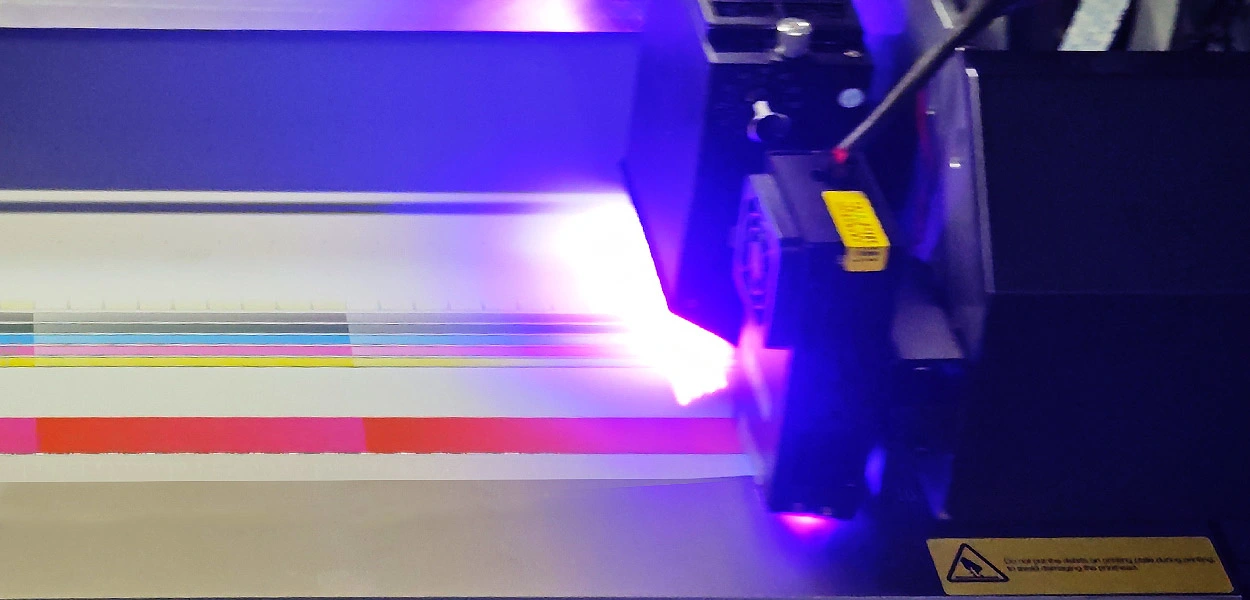
- Regular Draining: Drain oil and water from the air pump and oil-water separator every two weeks. Keeping these components clean helps maintain machine efficiency.
- Filter Replacement: Regularly replace the UV lamp filter cotton to prevent dust accumulation that could damage the lamp. Track the lamp’s usage time—ideally, replace it every 500-800 hours to ensure optimal print quality.
- Filter Replacement: Replace the main and secondary filters of the UV printer every three months. Check the ink pump regularly to ensure smooth ink supply. Continuous operation of the ink supply motor might indicate pump issues or insufficient ink in the cartridge, requiring timely replacement or replenishment.
- Lubrication: Regularly lubricate moving parts such as the X-axis and Y-axis to keep them running smoothly. Ensure the guide rails are clean and dust-free. Adjust the tension of the conveyor belt to maintain accuracy in movement.
- Ensure Grounding: Properly ground the machine to avoid safety hazards like static electricity. Do not operate the machine until it is securely grounded.
- Use Stabilizers: Use a voltage stabilizer (10KV) to ensure stable voltage. Avoid sharing the same circuit with high-power devices, and regularly inspect the wiring for wear and tear.
- Power Down: When not printing, remember to turn off the UV lamp to save energy and extend its lifespan.
In summary, maintaining and caring for a UV printer involves detailed and important tasks. By adhering to daily cleaning routines, proper operational procedures, regular maintenance, and ensuring safety and stability, you can keep your UV printer in top condition and support your printing endeavors effectively. We hope this guide helps keep your UV printer in like-new condition!
Latest News

Related Products

Epson i3200-A1HD printhead
Micro-piezoelectric inkjet printing technology
Stable continuous supply system, high printing speed
Automatic and continuous cleaning of ink tubes

UV-H2513 Large Format Flatbed Printer
Four-Zone Vacuum Control System
Magnetic Levitation Linear Motor
Negative Pressure Ink Supply System
Automatic Height Detection System
High-Quality Output
One-stop UV Printing Solution

UV-H1806S Hybrid Multifunction Printer
Industrial Large-Format Output
Supports High Drop Printing
Negative Pressure Ink System
Maximum 30 mm Media Thickness Support
Automatic Height Detection System
Stable Production

UV-H1804E Hybrid Multifunction Printer
1.85-meter industrial wide-format output
Hybrid flatbed & roll-to-roll structure
Industrial-grade stability design
Professional RIP color management system
Three-zone independent vacuum system
Roll-to-Roll System

80cm printing width complete printing solution
30% lower production costs
Safe and worry-free
13-Color Printing Capability

80cm printing width complete printing solution
30% lower production costs
Safe and worry-free
Max 50m2/h under 5-color configuration

UV-H6090S Multifunctional Flatbed Printer
3*i3200-U1 high speed printing
Multicolor configuration
CCD vision positioning system
Eco-friendly and energy-saving

UV-H9060 Multifunctional Platform Lifting Printer
Maximum 50 cm material thickness
Negative pressure ink supply
Vision positioning system
Supports roll and cylindrical printing

19gsm Brown Color Sublimation Protective Tissue Paper
-Safe and Environmentally Friendly
-More Economical Solution
-Stable Quality
-Equipment Protection

Send in Inquiry
Transfer to Digital, Transfer to Future
Contact Us
+86 189 3686 5061
Address:Building 3, Yinghui Industrial Park, 129 Suyuan Avenue, Moling Subdistrict, Jiangning District, Nanjing
Navigation
Navigation