Products
Certification


EVO A-600 DTF Printer
- Installation-free, adjustment-free
- Tension release system
- Spare white ink shaking system
Product Category:
DTF Printer
key-words
- Description
- Specification
- Support
- Software
- Video
-
EVO A-600 DTF Printer
In recent years, we pay more and more attention to innovation in the research and development of DTF machines. This new EVO 600 DTF Printer has ultra-high automation and intelligent functions, which can realize innovative functions such as automatic heating, automatic cleaning, automatic monitoring, automatic moisturizing, multi-printer management control, etc. It is very suitable for long time stable printing and mass production.Details
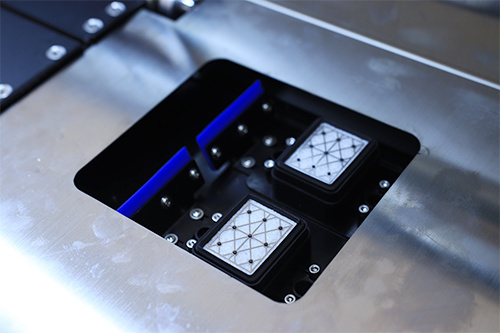
Automatic moisturizing
To prevent the ink from clogging the nozzle, the printhead emits some ink at regular intervals to keep the nozzle moist, which can keep the best working condition of the nozzle.
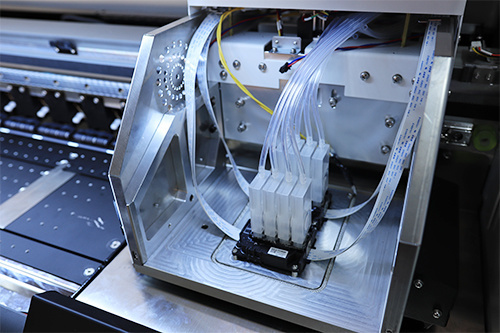
Printhead installation-free
After you receive the printer, there is no necessary to install the printhead. After installing the ink and simple debugging, it can be printed directly.
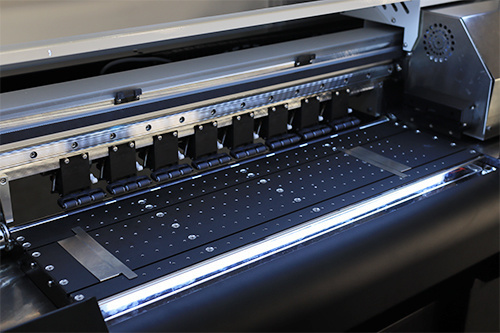
THK mute guide
Imported high quality THK guide. Highly stable printing with low noise. Long service life, very suitable for high-end machines.
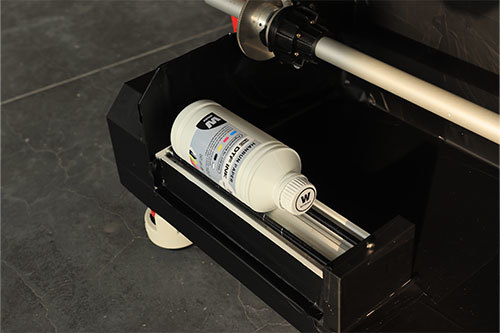
White Ink auto shaking
This function prevents sedimentation of white ink in DTF printers by automatically shaking the ink bottle. It is recommended for both long periods of inactivity and before opening a new bottle of white ink to ensure ink homogeneity.
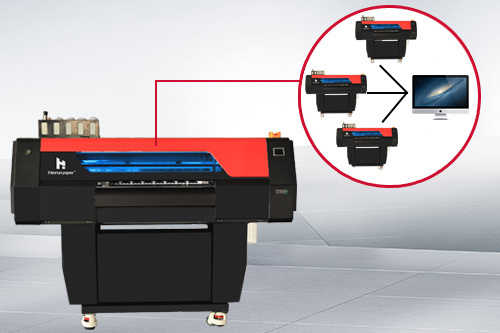
MPM (Multi-Printer Manager)
A computer can control multiple devices with different ip addresses. MPM (Multi Printer Manager) uses one computer to manage multiple printers, helping workers control machine production more quickly and improve production efficiency.
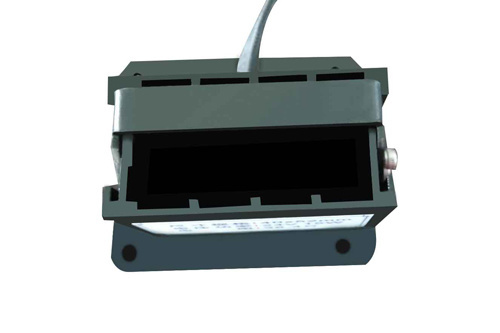
Ink sac heating function
The ink baffle device of this new printer has an external heating function. With this technology, the printer can work normally in an environment with large temperature differences. During the printing process, the heating function can ensure good ink mobility.
Features
# Ultra-high automation and intelligent functions
# Centralized joint control of multiple printers
# Convenient built-in air purification unit
# Stable and continuous mass productionApplication

# Washing labels for garments
# Fashion clothes(most kinds of garments and no need to distinguish colors)
# Personalized customization
-
EVO 600 DTF Printer Model EVO-A600 Printhead 2 EPSON i3200 Print Resolution/Speed 4pass(360*2400dpi): 12m2/h
6pass(360*3600dpi): 9m2/h
8pass(720*2400dpi): 6m2/hInk DTF pigment ink (CMYK+W) Heating sections Pre-heater; Rear heater Printing media width DTF film 600mm RIP software Photoprint/Maintop/CADlink Language English/Chinese Working environment Temperature: 20-35℃, Humidity:35%-65% Power 450W Printer size 1827(L)*795(W)*1315(H)mm 200kg Packing size 1900(L)*933(W)*1332(H)mm 285kg Functional item Shake powder control/Powder amount control/Temperature control Voltage AC110V / 220V 50HZ/60HZ EVO-B600 POWDER SHAKER Max width 600mm Oven length 1079mm Heat temperature 0-400℃ Voltage 110V/220V, 60HZ Power 4.6kw Size/Weight 1850mm(L)*1150mm(W)*1050mm(H) 320kg Packing size 1950mm(L)*1150mm(W)*1150mm(H) 344.5kg
-
EVO A-600 DTF Printer Download Center
Here, you can find all the necessary resources for your printer.
Hardware Installation Manual Download ►
-
Choose
Access the latest software and drivers for your printer. Ensure you have the most up-to-date version to get the best performance.
Maintop Support ►
CADLINK Support ►
Flexi Support ►
-

Contact Us
Global sales e-mail: info@hanrunpaper.com
Global sales WhatsApp: 86 189 3686 5061
Address: No.10 building, Baijiahui Innovation Community, 699-18 Xuanwu Avenue, Nanjing, China
Need Local Support? Find a Certified Hanrun Paper Dealer in Your Area.
Recommended Products
Online Message
Transfer To Digital, Transfer To Future
Hanrunpaper
Customers From
Countries
Contact us

Address:No.10 building, Baijiahui Creative Community, 699-18 Xuanwu Avenue, Nanjing, China